Getting Started with Lawnager
Set up your Lawnager account in under 10 minutes: create your profile, add services and pricing, then start scheduling jobs. Free Starter plan, no card needed.
Last updated June 20, 2026

Welcome to Lawnager
Lawnager is lawn care management software built for operators. This guide walks you through setup in under 10 minutes.
Step 1: Create your account
Visit app.lawnager.com/signup and enter your name and email. No credit card required — the Starter plan is free forever.
Step 2: Add your services
Go to Services in the sidebar and add the services you offer (e.g., Weekly Mowing, Spring Cleanup, Landscaping). Set your base pricing for each.
Step 3: Import your customers
Go to Customers and click Add Customer. You can add them one at a time or import a CSV file with your existing client list.
Step 4: Connect payments
Go to Settings > Payments and connect your Stripe account. This enables online invoicing and client portal payments.
Step 5: Start scheduling
Create your first job from the Jobs page. Assign it to a crew member, set the date, and you are ready to go.
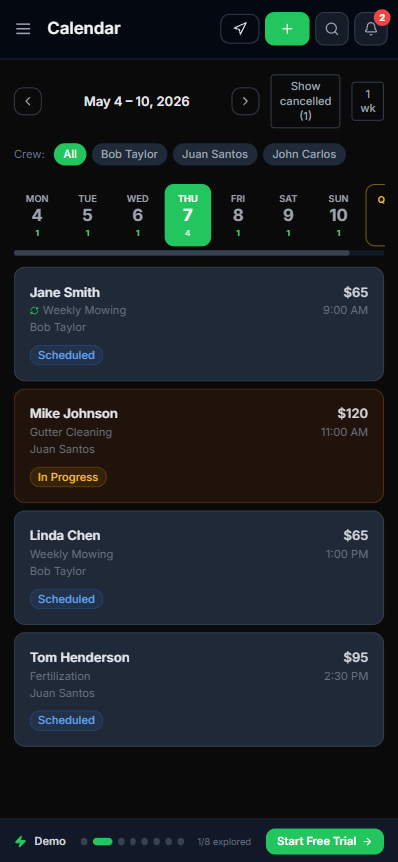
Your Schedule view shows every job for the week, color-coded by status, with crew filter chips at the top so you can see exactly who is doing what and when.
Need help? Use the chat widget on any page or contact us.
Related articles
Still have questions?
Contact support →